Washing machine displays padlock - Electrolux
Issue
- A padlock has appeared on the display and the washing machine won’t function
- How to deactivate Child Lock on my Electrolux washing machine?
- The Child Lock has been activated and the washing machine appears unresponsive
- Child safety lock turning ON and OFF
- The washing machine won't start the programme and displays only a padlock symbol
Applies to
- Electrolux washing machines
Resolution
Child lock on a washing machine – what does the padlock symbol mean?
A padlock is displayed to indicate that the ‘Child Lock’ function has been activated. This option prevents the wash cycle from being interrupted if children play with the control panel.
When the child lock is engaged, it will prevent you from carrying out any action.

Why does the child lock activate on the washing machine?
The child lock on a washing machine is a useful feature that prevents children from accidentally starting the appliance or changing its settings. Enabling this feature prevents any actions other than switching the appliance on and off.
How do I turn off the washing machine's Child Lock?
To restore the washing machine to normal operation, you need to disable the parental lock. Here are the basic steps:
1. Check the washing machine's user manual – different models may require different procedures for disabling the lock. Download user manual.
2. Press the highlighted buttons – on some models, you need to press and hold two buttons simultaneously, while on others, you only need to hold one button for 3–5 seconds. The child lock buttons are usually marked on the control panel with a padlock symbol.
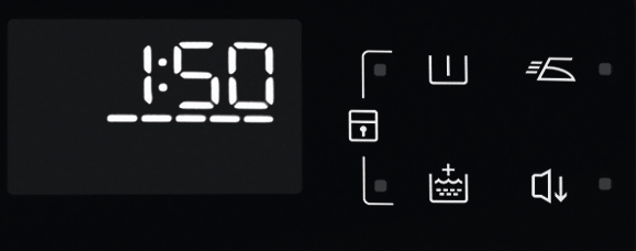
3. If the parental lock does not clear, reset the appliance to its factory settings.
This function restores the washing machine's factory default settings.
This procedure is described in the user manual for your washing machine. If it is not described there, proceed to the next step.
4. Unplug the washing machine – if the standard methods do not work, unplug the appliance for 5–10 minutes and try again.
5. Appliances with programme buttons – the lock can usually be deactivated immediately after switching on the washing machine.
6. Appliances with a programme selector dial – you may need to cycle through the last programme used or subsequent programmes to deactivate the child lock.
See the example control panels and how to activate/deactivate the Child Lock option
Freestanding Washing Machines
Control panel No.1
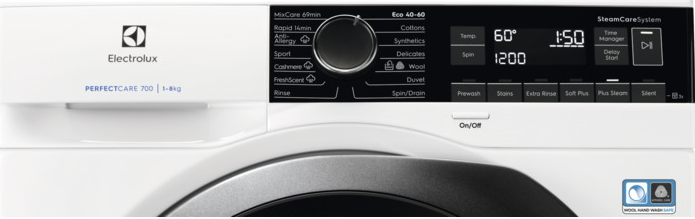
With this option, you can prevent children from playing with the control panel.
To activate/deactivate this option, hold down the Silent button until the padlock icon comes on/goes off on the display.
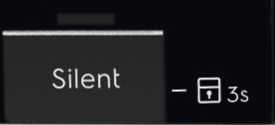
The appliance will default to this option after you switch it off.
The Child Lock function may not be available for a few seconds after switching the appliance on.
Control Panel No.2
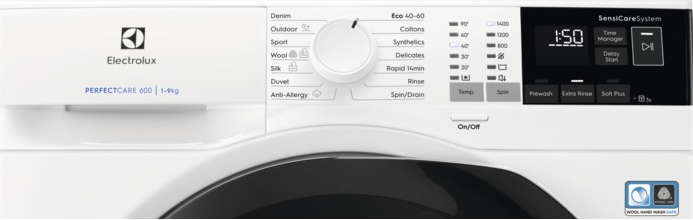
With this option, you can prevent children from playing with the control panel.
To activate/deactivate this option, hold down the Soft Plus button until the padlock icon comes on/goes off on the display.
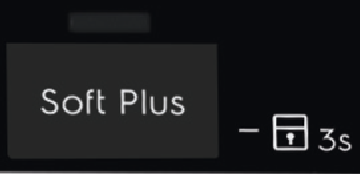
The appliance will default to this option after you switch it off.
The Child Lock function may not be available for a few seconds after switching the appliance on.
Control Panel No.3
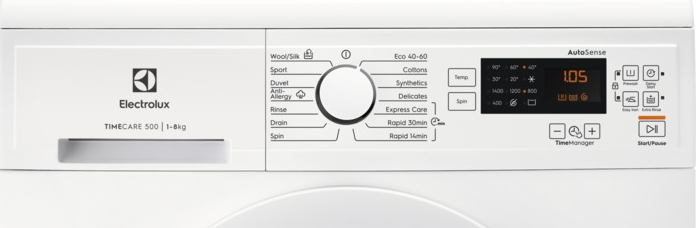
With this option, you can prevent the children from playing with the control panel.
To activate/deactivate this option, press Prewash and Easy Iron at the same time until the padlock indicator comes on/goes off.
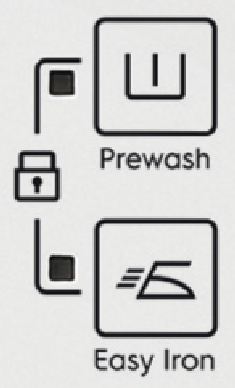
You can activate this option:
After you press START/PAUSE: the options and the programme knob are locked.
Before you press START/PAUSE: the appliance cannot start.
Control Panel No.4
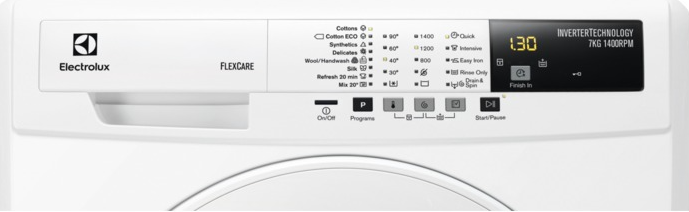
With this option, you can prevent the children play with the control panel.
To activate: Press and hold the Temperature and Spin buttons for 5 seconds
To deactivate: Press and hold the Temperature and Spin buttons for 5 seconds
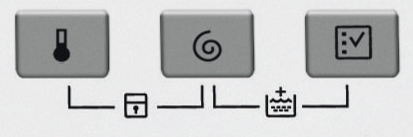
Activate this option after you touch the button START/PAUSE: the buttons are locked (except for the ON/OFF button).
This option stays active even when you switch off the appliance.
Control Panel No. 5 (older style)
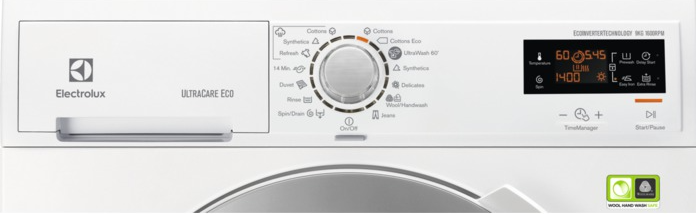
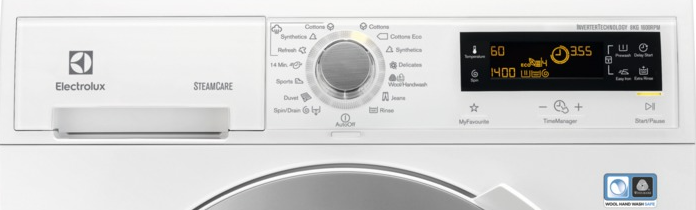
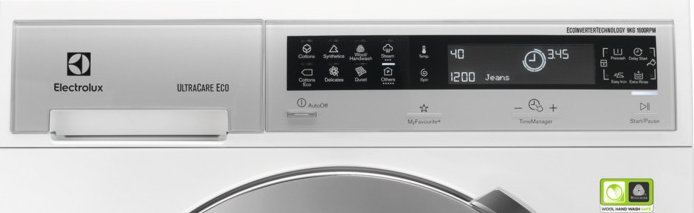
With this option, you can prevent the children play with the control panel.
To activate: Press and hold the Prewash and Easy Iron buttons for 5 seconds
To deactivate: Press and hold the Prewash and Easy Iron buttons for 5 seconds
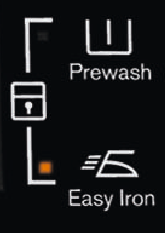
You can activate this option:
After you press START/PAUSE: the options and the programme knob are locked.
Before you press START/PAUSE: the appliance cannot start.
Integrated Washing Machines
Control Panel No.1
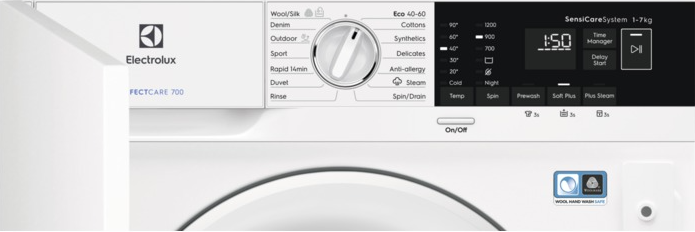
With this option, you can prevent children from playing with the control panel.
To activate/deactivate this option, hold the Plus Steam button pressed until the padlock indicator comes on/goes off on the display.
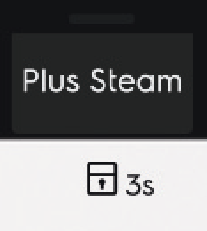
When it is activated, the appliance will default to this option after you switch it off or change/reset the programme.
If you press any button, the indicator blinks to indicate that the buttons are disabled.
The Child Lock function may not be available for a few seconds after switching the appliance on.
A service visit would be recommended if you are still experiencing issues.
Was this article helpful?
Related Articles
- Washing machine displays error message EF0, EFo, EF3 or emits 15 beeps / 15 flashes
- Washing Machine Not Working or Not Turning On – Troubleshooting Guide
- Dark or brown stains on laundry after washing in washing machine
- Washing Machine Error E10, E11 or C1? How to Fix Water Supply & Drain Issues
- The door of the washing machine cannot be opened
- Washing machine produces pale streaks on laundry or emits a sour smell
- Washing machine emits humming / pumping noise
- The washing cycle is shorter / longer than indicated on the display
- Electrolux Washing Machine Displays an Error Code – causes and solutions
- Washing machine blows fuses / trips RCD circuit breaker
Spare parts & Accessories
Find original spare parts for your appliance in our webshop and have them delivered directly to your door.
Related Articles
- Washing machine displays error message EF0, EFo, EF3 or emits 15 beeps / 15 flashes
- Washing Machine Not Working or Not Turning On – Troubleshooting Guide
- Dark or brown stains on laundry after washing in washing machine
- Washing Machine Error E10, E11 or C1? How to Fix Water Supply & Drain Issues
- The door of the washing machine cannot be opened
- Washing machine produces pale streaks on laundry or emits a sour smell
- Washing machine emits humming / pumping noise
- The washing cycle is shorter / longer than indicated on the display
- Electrolux Washing Machine Displays an Error Code – causes and solutions
- Washing machine blows fuses / trips RCD circuit breaker