How to use the frying function on your Electrolux SenseFry hob
Resolution
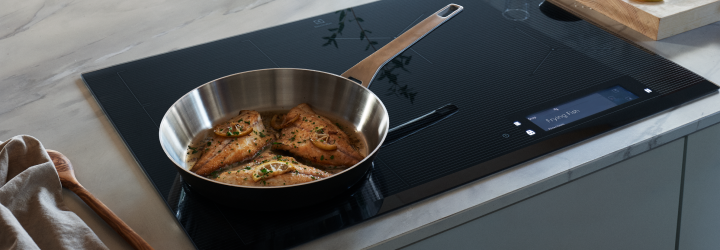
The Electrolux SenseFry induction hob ensures your food is fried evenly. Pick your dish or select preferred frying level, and the hob maintains a precise heat from start to finish.
How to use the frying function depends on your model.
SenseFry with TFT Display

1. Enter the menu and select Assisted Cooking. Choose the food you want to prepare from the list and follow the instructions on the hob.
2. Press START at the top of the pop-up window. You can use the default settings or adjust them to your preferences.
3. Follow the instructions and press OK.
4. Press START. The SenseFry symbol will appear on the cooking zones on the left, and activate pre-heating.
5. The hob will alert you when the pan is ready to use. Press OK.
6. Add oil/fat and begin cooking.
Tip: You can set the timer function. The timer turns on when the pot has pre-heated to the intended temperature.
SenseFry with Individual Slide Controls
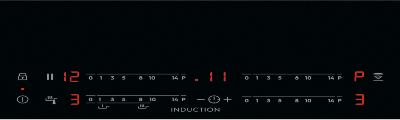
1. Press the frying symbol to select frying level. The LED light above the symbol indicates the selected level.
- Press once for the low frying level.
- Press twice for the medium frying level.
- Press three times for the high frying level.
2. Press the lower or upper slider on the left side to indicate which cooking zone you will use.
3. Begin cooking when the lights stop blinking, and you hear a beep.
Good to know
- The SenseFry function can be used on the left cooking zones.
- Use flat and thick bottom cookware.
For more information about your specific induction hob model, check the user manual.
Now that you've learned how to use the frying function, you may want to learn more about other functions on your induction hobs.
Was this article helpful?
Related Articles
- Causes of cracks across induction or ceramic hobs
- Hob Not Working: Cannot Activate, No Display, or Interface Not Responding
- How to use the SenseBoil® function on your Electrolux hob
- Hob blows/ trips fuse
- Hob displays error message E7
- The induction hob is noisy, makes a humming sound
- Induction hob displays error code F or F1
- Induction Hob Connecting Cable Not Supplied With The Appliance
- Hob displays message L, the hob is locked
- How to Find the PNC Number on an Installed Hob
Related Articles
- Causes of cracks across induction or ceramic hobs
- Hob Not Working: Cannot Activate, No Display, or Interface Not Responding
- How to use the SenseBoil® function on your Electrolux hob
- Hob blows/ trips fuse
- Hob displays error message E7
- The induction hob is noisy, makes a humming sound
- Induction hob displays error code F or F1
- Induction Hob Connecting Cable Not Supplied With The Appliance
- Hob displays message L, the hob is locked
- How to Find the PNC Number on an Installed Hob