Hob displays message L, the hob is locked
Issue
- Hob/cooker displays message L - it indicates that the lock function or Child Safety is activated
- The hob is locked

Applies to
- electric (ceramic) hob
- induction hob
Resolution
"L" message on the hob display indicates that the Lock function or Child Safety lock is activated.
Refer to the full description in the user manual, as the methods might differ depending on the model of the appliance.
Lock function
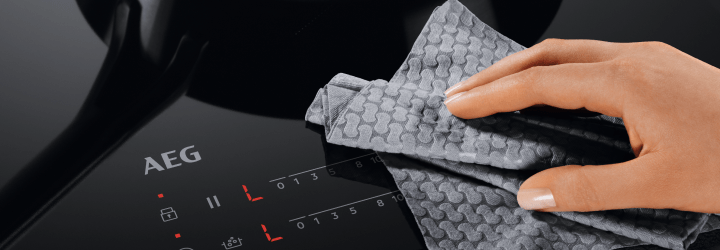
Use the lock functions on your induction hob to prevent accidental operation of the hob while cooking or cleaning it.
How to use the lock function
Turn on the lock function to lock the control panel while you are cooking on the hob. This prevents you from accidentally changing the heat setting.
1. Select a heat level first
2. To activate the function: touch  . L lights up for 4 seconds. The Timer remains on.
3. To deactivate the function: touch . L lights up for 4 seconds. The previous heat setting comes on.
How to use the child lock function
Turn on the child lock function to lock the control panel when not using the hob. When you’re cooking, you can temporarily turn it off – it will remain active even after you turn off the hob, so you don’t have to lock it again after each use. We recommend using a child lock when you are cleaning the hob.
If your induction hob has a touchscreen, enter the menu to turn on or off the child lock. Otherwise, follow the instructions below.
1. To activate the function: Activate the hob. Do not set any heat setting. Touch for 4 seconds. "L" comes on. Deactivate the hob.
2. To deactivate the function: Activate the hob. Do not set any heat setting. Touch for 4 seconds. "0" comes on. Deactivate the hob.
To override the function for only one cooking time: activate the hob. "L" comes on. Touch for 4 seconds. Set the heat setting in 10 seconds. You can operate the hob. When you deactivate (turn off) the hob, the function operates again.
See the instructional video below:
Was this article helpful?
Related Articles
- Hob displays error message E9
- What Do The Gas Mark Numbers Mean / Relate To Temperatures?
- The ignition on my gas hob keeps sparking
- Gas Hob Ignition Won't Spark
- Hob displays error message E3 / E311 / E312 / E313
- Hob displays error message E4 / E401 / E402 / E403 / E421...
- Electric Hob Installation Faults: Causes & Recommended Solutions
- Can I put a protection mat on the induction hob?
- Damage to ceramic and induction hob glass - Impact damage and stress damage (cracked glass)
- Hob displays message F
Related Articles
- Hob displays error message E9
- What Do The Gas Mark Numbers Mean / Relate To Temperatures?
- The ignition on my gas hob keeps sparking
- Gas Hob Ignition Won't Spark
- Hob displays error message E3 / E311 / E312 / E313
- Hob displays error message E4 / E401 / E402 / E403 / E421...
- Electric Hob Installation Faults: Causes & Recommended Solutions
- Can I put a protection mat on the induction hob?
- Damage to ceramic and induction hob glass - Impact damage and stress damage (cracked glass)
- Hob displays message F