Dishwasher displays error code iF0, iFo or iF1
Issue
- Dishwasher displays error code iF0, iFo or iF1
Applies to
- Integrated dishwasher
- Freestanding dishwasher
Resolution
First, reset your appliance:
- Remove the plug for the dishwasher
- Check your dishwasher filter and sump (see below) for signs of foam/suds & debris
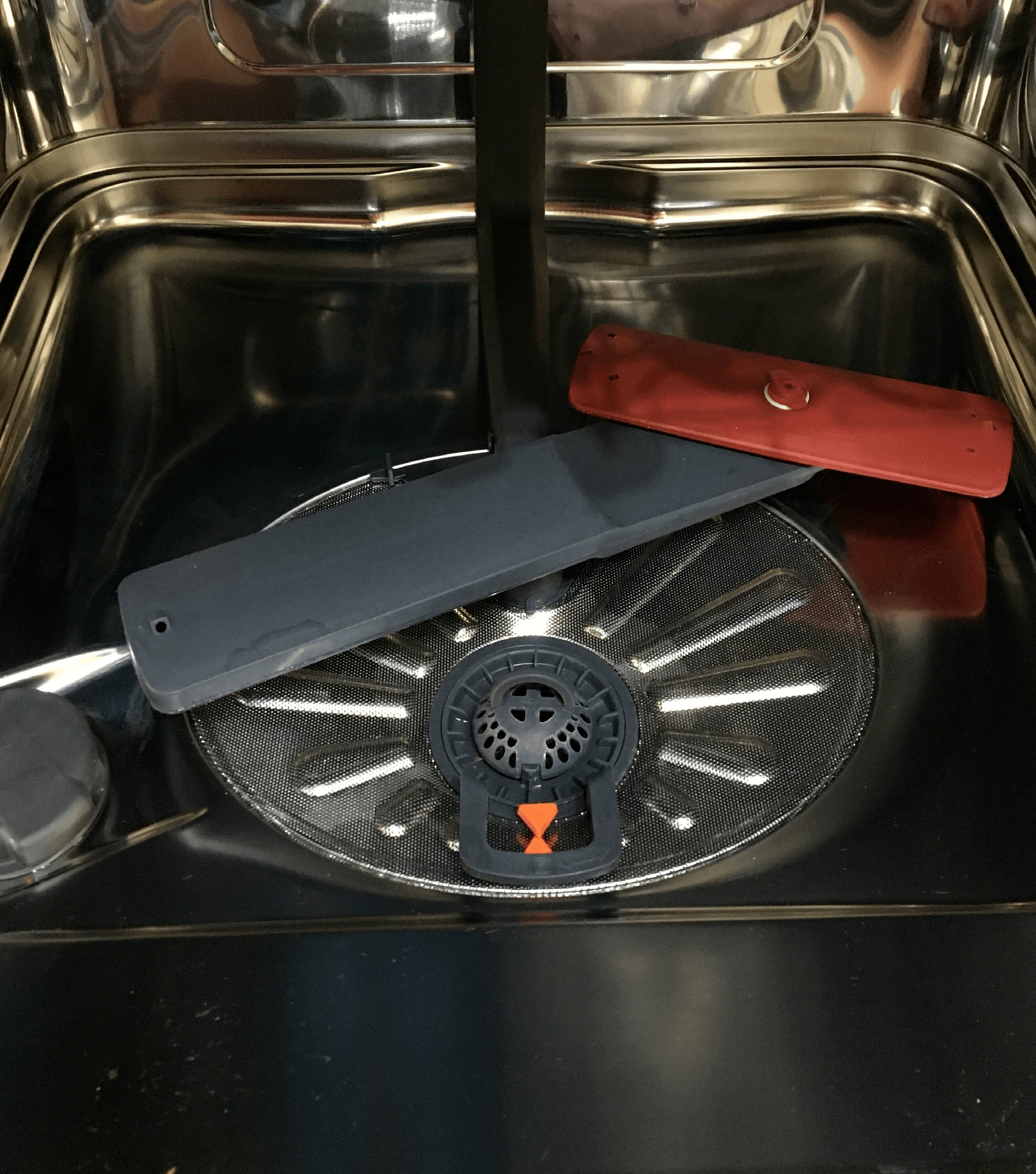
- Make sure you clean all the filters
- Clear any foam/suds from the sump
- Plug it back in. Turn on the dishwasher, select a suitable cycle and start it.
- If the cycle starts and operates normally, the problem has been resolved.
If the above steps don't resolve the issue then a service visit by one of our approved service providers is recommended.
Book Service
If your dishwasher continues to experience problems, our specially trained technicians can quickly identify the cause and help resolve the issue.
Whether your appliance is in or out of warranty, we're here to guide you to the right repair solution.
Cause
- iF0 or iF1 code indicates water level problem
Was this article helpful?
Related Articles
- How to change the lower spray arm in my Electrolux dishwasher? (video)
- Dishwasher displays error code i24, not draining
- Dishwasher displays error code i23, not draining
- Electrolux Dishwasher Displays an Error Code – Causes and Solutions
- How to disable the AirDry function in a dishwasher with a QuickSelect panel (level 2)
- Dishwasher Making Noises – Normal Sounds and Signs of a Problem
- How to disable the AirDry function in a dishwasher with a QuickSelect panel (level 1)
- Dishwasher door will not close properly or is crooked
- Symbols and programmes on your Electrolux dishwasher
- Rust spots on cutlery after washing in the dishwasher
Spare parts & Accessories
Find original spare parts for your appliance in our webshop and have them delivered directly to your door.
Related Articles
- How to change the lower spray arm in my Electrolux dishwasher? (video)
- Dishwasher displays error code i24, not draining
- Dishwasher displays error code i23, not draining
- Electrolux Dishwasher Displays an Error Code – Causes and Solutions
- How to disable the AirDry function in a dishwasher with a QuickSelect panel (level 2)
- Dishwasher Making Noises – Normal Sounds and Signs of a Problem
- How to disable the AirDry function in a dishwasher with a QuickSelect panel (level 1)
- Dishwasher door will not close properly or is crooked
- Symbols and programmes on your Electrolux dishwasher
- Rust spots on cutlery after washing in the dishwasher