How to deactivate/turn off AirDry/door opens automatically on AEG dishwasher
Issue
- How to deactivate/turn off AirDry on AEG dishwasher
Applies to
- AEG Dishwasher with AirDry feature
Resolution
AEG's AirDry function automatically opens the dishwasher's door by 10 cm during the last stages of dish programmes to dry your dishes in a more energy-smart and natural way. Now your dishes can be completely dry and spotless at a lower energy cost.
Below you will see a short video on how AirDry works.
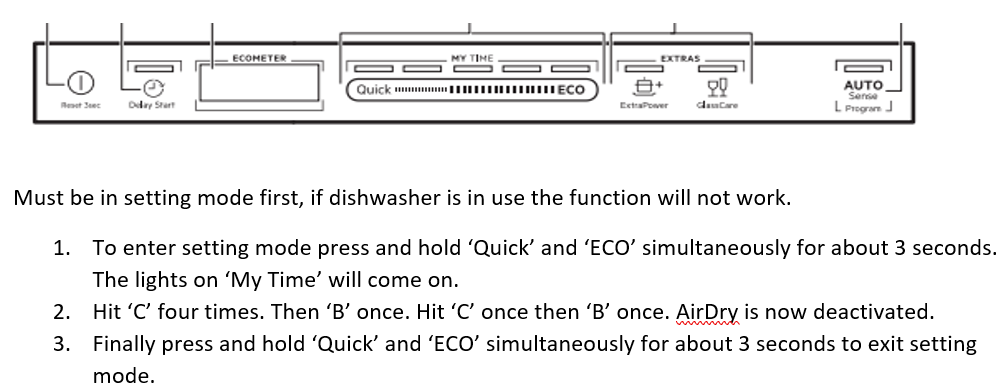
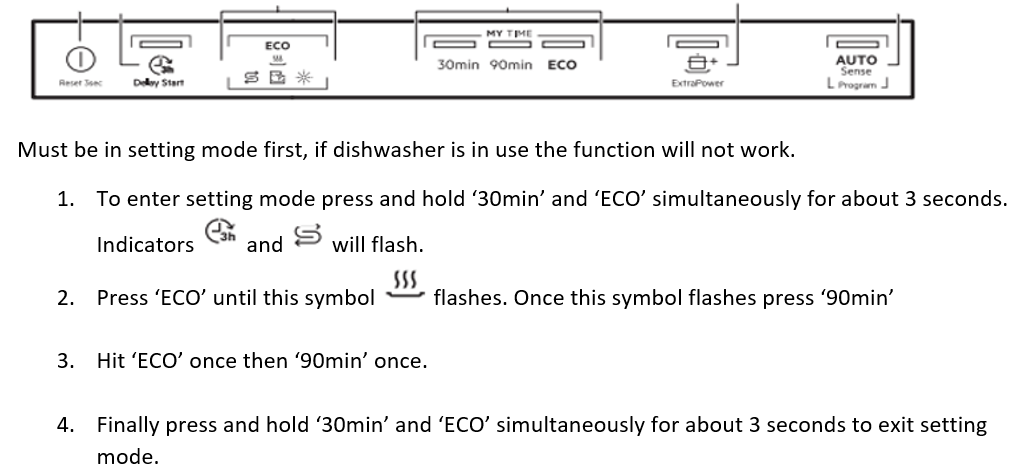
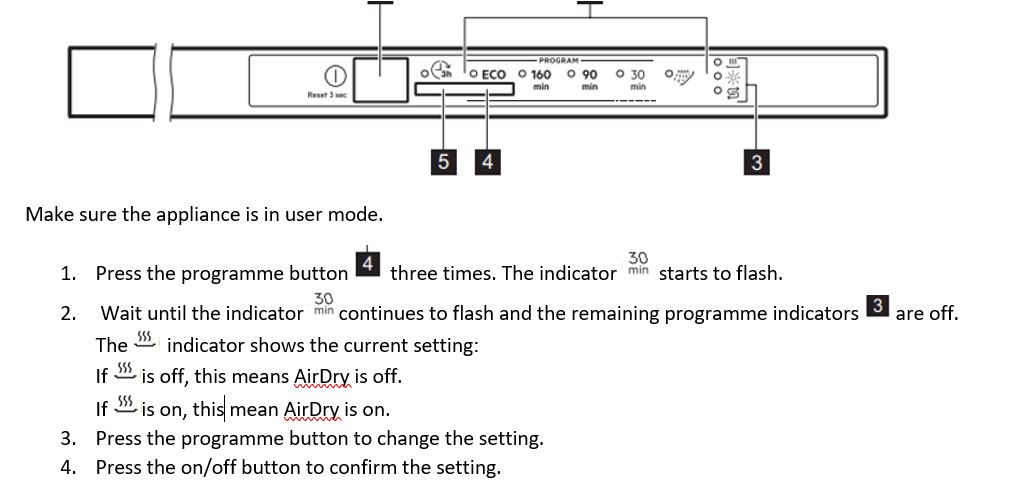
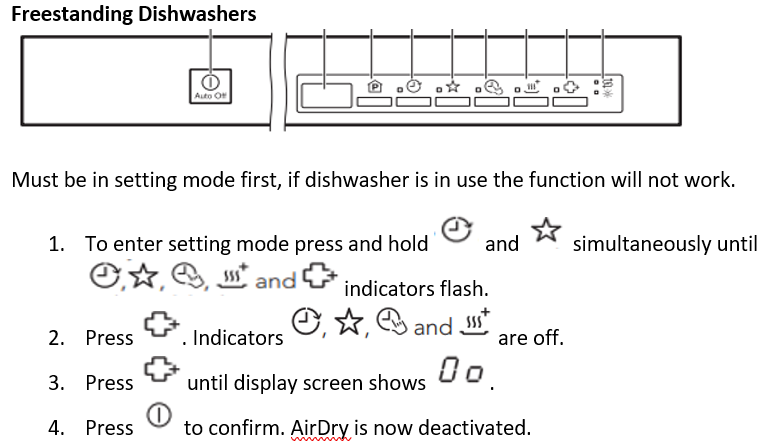
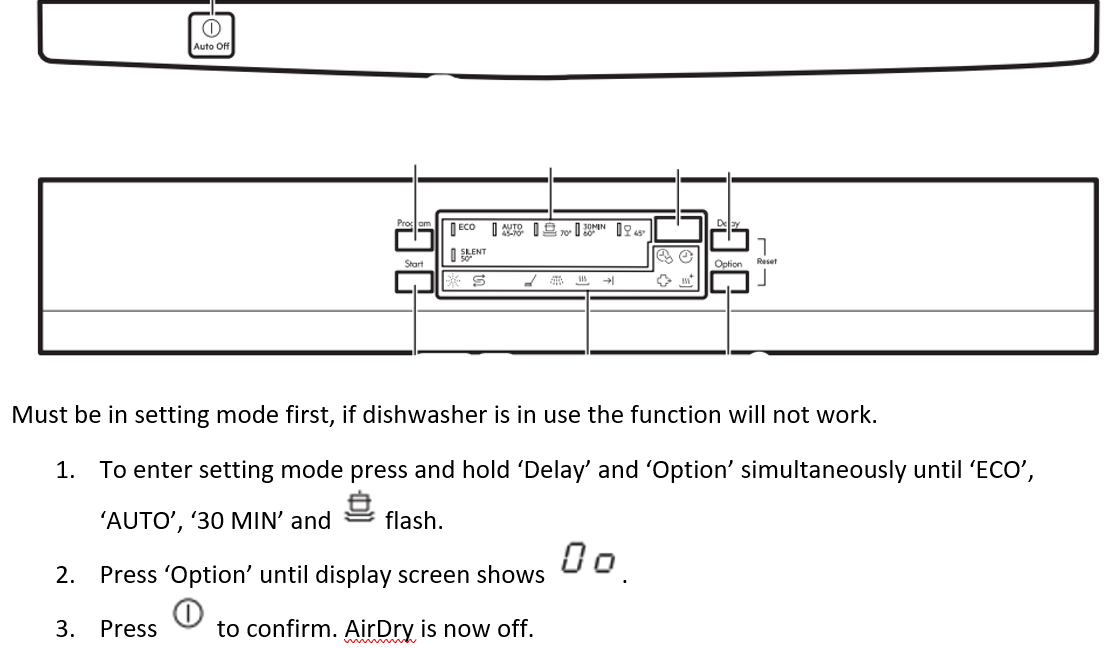
Below shows all of our AEG dishwasher control panels for integrated, semi-integrated and freestanding. Please find the one that looks like yours and follow the instructions. You can use these steps to deactivate and/or activate your AirDry feature.
For detailed description of your dishwasher settings and recommendations please refer to the user manual supplied with your appliance
Was this article helpful?
Related Articles
- Dishwasher displays error code i24, not draining
- Dishwasher displays an error code, how to fix it?
- Dishwasher door will not stay open
- The auto-cleaning indicator ("Machine Care") lights up on the dishwasher
- Dishwasher does not switch on, no light on the control panel
- Is it possible to connect the dishwasher to hot water supply?
- Dishwasher installation (Sliding door)
- Program not starting and cycle indicator light flashing on dishwasher
- How to Order a New Cutlery Basket for Your Dishwasher
- Dishwasher does not / will not start but the power is on
Spare parts & Accessories
Find original spare parts for your appliance in our webshop and have them delivered directly to your door.